Does iPhone Duo have an Action button? Every button explained
Volume, Camera Control and a Touch ID side button: what each button on iPhone Duo does and what Apple's spec sheet leaves out.
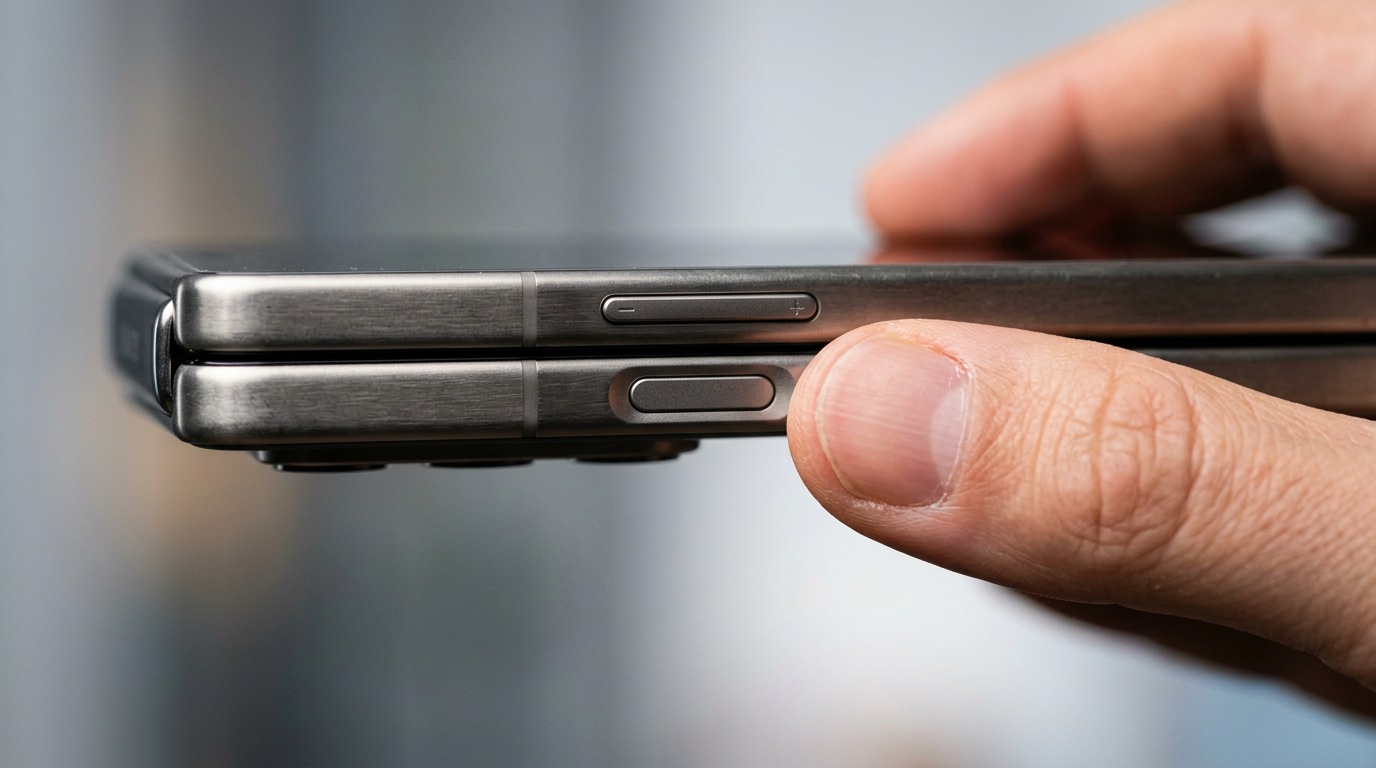
If you are coming from a recent iPhone, you probably reach for the Action button out of habit. Here is what iPhone Duo actually has.
The buttons Apple lists
Apple's spec sheet lists these external buttons and connectors for iPhone Duo:
- Volume up and down.
- Camera Control, with controls for Exposure, Depth, Zoom, Cameras, Styles and Tone.
- Side button with the Touch ID fingerprint sensor built in.
- USB-C connector.
So is there an Action button?
The spec sheet does not list an Action button for iPhone Duo. The buttons it lists are volume, Camera Control and the side button. If you relied on the Action button for a shortcut, the closest replacements are Back Tap in Accessibility settings, Control Center controls and Siri.
Touch ID instead of Face ID
The side button doubles as the fingerprint reader. Touch ID works the same whether the phone is open or closed, which is the practical reason a foldable benefits from it. Apple Pay is confirmed with Touch ID too.
Camera Control on a foldable
Camera Control opens the camera with a press and lets you slide to adjust settings. On the Duo it is especially useful when the phone is half-folded on a table, because you can start a shot without touching the screen. Pair it with the rear-camera selfie trick for better self-recorded video.
Quick setup tips
- Set up Touch ID with two fingers, one from each hand, so it works whichever way you hold the phone.
- Customize Camera Control in Settings so a light press goes straight to the mode you use most.
- Add your most-used shortcut to Back Tap to replace the missing Action button.
Recording on iPhone Duo? Try PromptSlate Studio
Camera Control is handy for quick clips, but for longer takes with a script, PromptSlate Studio keeps your words, camera preview and record button on one screen. See PromptSlate Studio for iPhone Duo.
Related iPhone Duo guides
From the maker
Get PromptSlate Studio on the App Store
Write, prompt and record in one focused workspace. Out now — $9.99 one-time, no subscription. Every download supports independent development of new apps.
See PromptSlate Studio details · Also in the works: DuoSketch
Spotted something to fix, or an app we should cover?
This article is independent research, cross-checked against Apple's developer documentation. If something's out of date, or you know an app that deserves a look, let us know — and if you're building for iPhone Duo yourself, we're happy to talk.
hola@ayudantedigital.es