How to use StandBy on iPhone Duo, even without charging
iPhone Duo can stand on its own, so StandBy works on a desk or nightstand without a charger. Here is how to set it up.
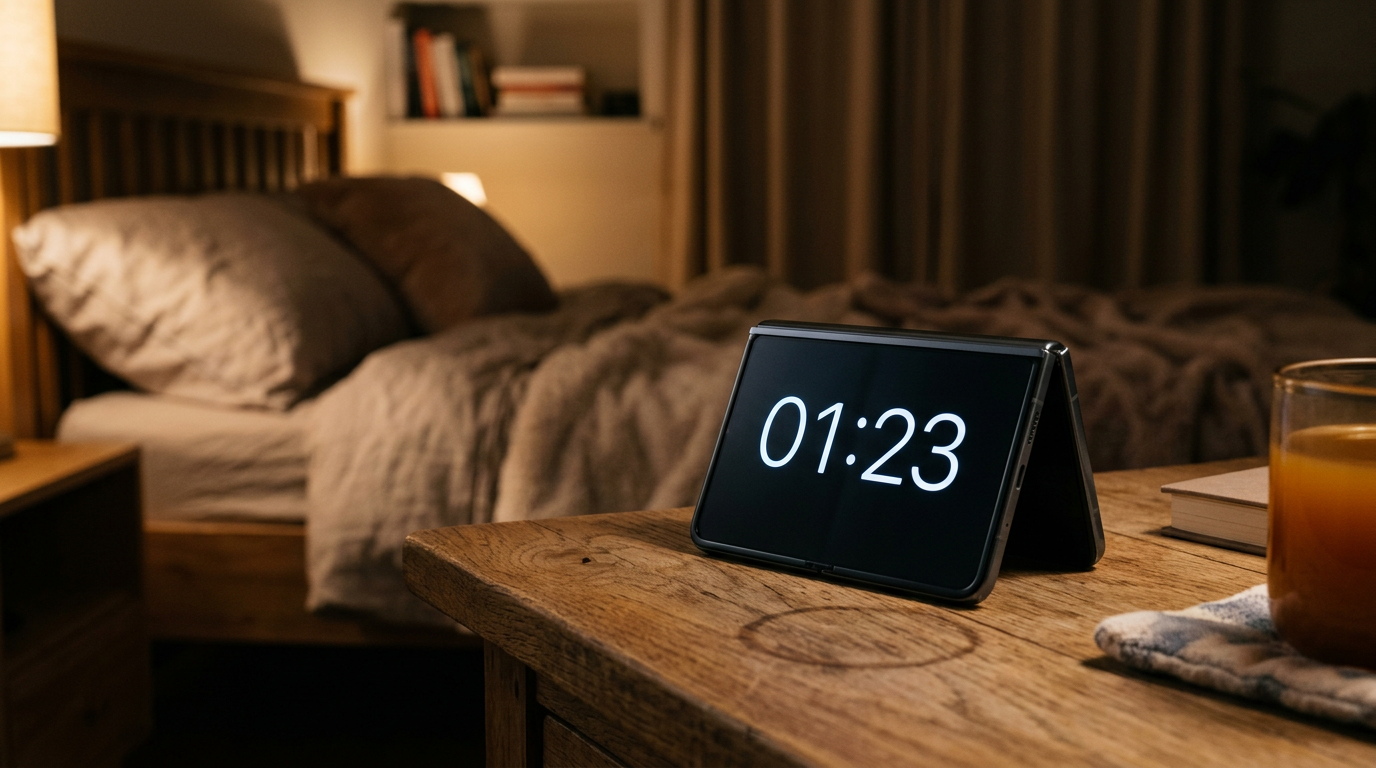
StandBy is one of the best features on iPhone Duo because the phone stands up by itself. Apple says you can use StandBy just about anywhere, even when you are not charging.
What StandBy shows
Turn iPhone Duo into a clock, a photo frame, or a display for the weather, your calendar or your favorite widgets. Because both displays support Always-On, it stays readable at a glance.
How to set it up
- Open Settings and find StandBy, then make sure it is turned on.
- Half-fold iPhone Duo so it stands on a desk or nightstand.
- Swipe left or right to switch between widgets, photos and clocks.
- Swipe up or down on a view to change its style.
Exact menu names can change between iOS 27 updates, so if you do not see an option, search for StandBy in Settings.
Best places to use it
- Nightstand: a dim clock without a dock.
- Desk: calendar and reminders widgets while you work.
- Kitchen: timers and recipes in view.
- Travel: a hotel alarm clock with no charger needed.
Charging and StandBy together
For all-night use, a MagSafe or Qi2 stand at up to 25W keeps it topped up. Read our charger guide.
Beyond StandBy
The same pose works for hands-free FaceTime calls and for recording yourself with a teleprompter. For more pose ideas see our outer vs inner display habits guide.
Recording on iPhone Duo? Try PromptSlate Studio
The same self-standing pose that makes StandBy great is what makes iPhone Duo a tripod-free camera. PromptSlate Studio is built around that tabletop pose for recording. See PromptSlate Studio for iPhone Duo.
Related iPhone Duo guides
From the maker
Get PromptSlate Studio on the App Store
Write, prompt and record in one focused workspace. Out now — $9.99 one-time, no subscription. Every download supports independent development of new apps.
See PromptSlate Studio details · Also in the works: DuoSketch
Spotted something to fix, or an app we should cover?
This article is independent research, cross-checked against Apple's developer documentation. If something's out of date, or you know an app that deserves a look, let us know — and if you're building for iPhone Duo yourself, we're happy to talk.
hola@ayudantedigital.es